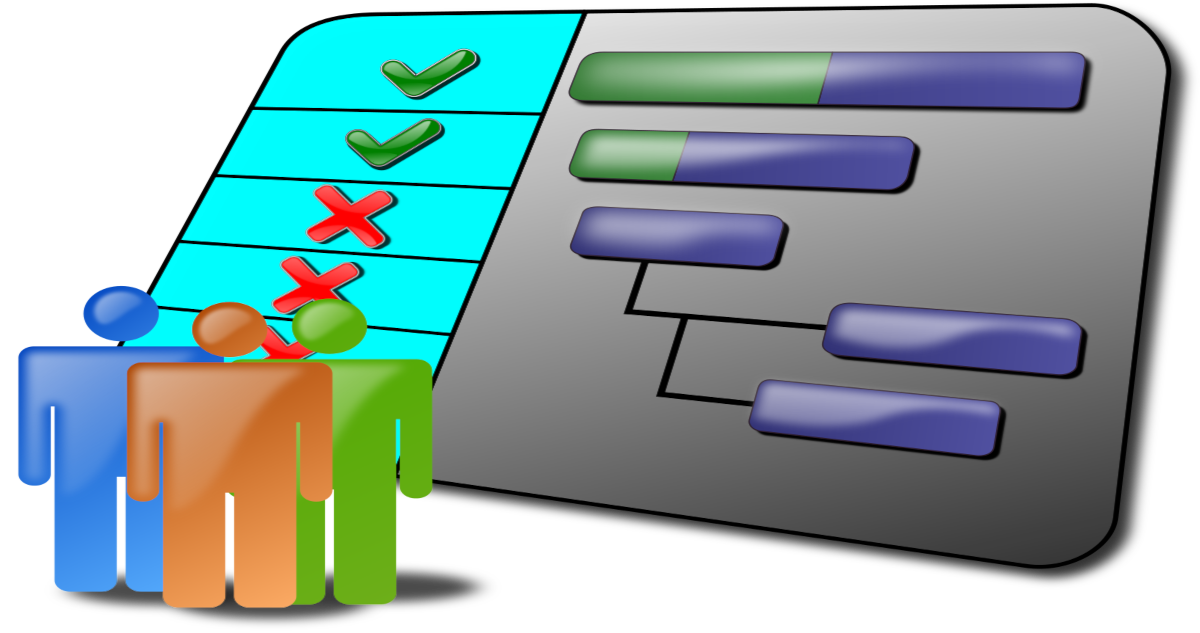
Workflows Online facilitates collaborative teamwork by enabling the management and tracking of task-based workflows. Each workflow is composed of tasks assigned to various participants. The initial task can be designated to a customer. Each task is associated with a responsible party, a detailed description, an estimated duration, and planned start and end dates. The assigned individual has the ability to log in and update the start and end dates of their tasks. Additionally, they can provide comments related to their work and upload relevant supporting files for documentation purposes.
Breakdown of our workflow process
Workflow preparation
- Basics: Categories for the main workflow and fort he tasks are defined.
- Responsibles: The responsibles are added to your company and invited to join the process.
- Workflows: The template for the workflow process is prepared.
Steps/Tasks
- Task Definition: The workflow process is divided into smaller, manageable tasks. These are specific actions that need to be completed in order.
- Sequence: The tasks are usually completed in a set order.
- Task Ownership: Tasks may be assigned to specific individuals or departments who are responsible for completing them.
Initiation
- Trigger Event: The workflow begins when a specific event or condition occurs (e.g., an email, a document submission, or a system alert). This is the "starting point". The template workflow is copied, a customer is added, and it is rescheduled.
Execution
- Execution of Tasks: Each step is executed according to the defined rules, and resources are utilized to perform the task.
- Status Posting: The responsible sets the start and end date of the execution.
Monitoring/Tracking
- Progress Tracking: Workflow processes often have tools to track progress and status, such as dashboards, alerts, or reports. This ensures that tasks are completed on time and identifies potential bottlenecks.
Completion
- Final Step: The workflow reaches its end when the last task is completed. This may involve generating a final product, reporting results, or handing off the work to another team.
- Output/Result: The outcome of the workflow is the final product, report, or service delivered.
Key Elements of a Workflow Process:
- Roles and Responsibilities: Clear assignment of who does what.
- Tools and Technology: Software or systems used to automate or assist the workflow.
- Timeframes and Deadlines: Scheduling and time constraints for each task or step.
- Dependencies: How tasks depend on each other (e.g., Task B cannot begin until Task A is finished).
- Communication: How information is passed between participants in the process.
Types of Workflows:
- Sequential Workflow: Tasks are completed in a linear, step-by-step fashion.
- Parallel Workflow: Multiple tasks are performed simultaneously, often used when tasks are independent.
- State Machine Workflow: Tasks depend on the status of a process, transitioning through various states.
- Rule-based Workflow: Decision-making at various points based on predefined rules.
Preparations for your workflows
Basics
Lorem ipsum dolor sit amet, consectetuer adipiscing elit. Aenean commodo ligula eget dolor. Aenean massa. Cum sociis natoque penatibus et magnis dis parturient montes, nascetur ridiculus mus. Donec quam felis, ultricies nec, pellentesque eu, pretium quis, sem. Nulla consequat massa quis enim. Donec pede justo, fringilla vel, aliquet nec, vulputate eget, arcu. In enim justo, rhoncus ut,
My company
Lorem ipsum dolor sit amet, consectetuer adipiscing elit. Aenean commodo ligula eget dolor. Aenean massa. Cum sociis natoque penatibus et magnis dis parturient montes, nascetur ridiculus mus. Donec quam felis, ultricies nec, pellentesque eu, pretium quis, sem. Nulla consequat massa quis enim. Donec pede justo, fringilla vel, aliquet nec, vulputate eget, arcu. In enim justo, rhoncus ut,
Workflows
Lorem ipsum dolor sit amet, consectetuer adipiscing elit. Aenean commodo ligula eget dolor. Aenean massa. Cum sociis natoque penatibus et magnis dis parturient montes, nascetur ridiculus mus. Donec quam felis, ultricies nec, pellentesque eu, pretium quis, sem. Nulla consequat massa quis enim. Donec pede justo, fringilla vel, aliquet nec, vulputate eget, arcu. In enim justo, rhoncus ut,
The procedure for a work flow for collaborative work is as follows:
- Create your Basics:
- Main groups
- Task groups
- My company: add your Partners (placeholders)
- Workflows: Build your workflow template
Procedure for workflows with collaborative work
Customer
Add your customer and his contact partners. Additional information or links can be noted in the description.
Company
Partners and employees need to be added to your company. Otherwise they have no access to your company data.
Rightgroups
Partners or co-workers can be added to special rightgroups. This allows to restrict the data access to special projects or workflows.
Workflows
Lorem ipsum dolor sit amet, consectetuer adipiscing elit. Aenean commodo ligula eget dolor. Aenean massa. Cum sociis natoque penatibus et magnis dis parturient montes, nascetur ridiculus mus. Donec quam felis, ultricies nec, pellentesque eu, pretium quis, sem. Nulla consequat massa quis enim. Donec pede justo, fringilla vel, aliquet nec, vulputate eget, arcu. In enim justo, rhoncus ut,
Company co-workers
Lorem ipsum dolor sit amet, consectetuer adipiscing elit. Aenean commodo ligula eget dolor. Aenean massa. Cum sociis natoque penatibus et magnis dis parturient montes, nascetur ridiculus mus. Donec quam felis, ultricies nec, pellentesque eu, pretium quis, sem. Nulla consequat massa quis enim. Donec pede justo, fringilla vel, aliquet nec, vulputate eget, arcu. In enim justo, rhoncus ut,
You get an order, which you have to execute with your customer:
- Customer: create the customer
- My company: add your partners as co-workers to your company
- Right groups: create a new right group and add the partners
- Workflows:
- Copy the workflow process
- Add the right group
- Adopt task and times
- Exchange the placeholder partners with the co-workers
- My company: invite the partners
The partners must carry out their tasks and record them.